


Problem
One of the constant hassles that I faced when running a company was dealing with PowerPoint. PowerPoint was the sales tool of choice then and now. The problem was that most of the salespeople really did not know how to use it and therefore spent hours of time producing mediocre presentations. However, from time to time there was the expert salesperson. They were the ones that caused in the most trouble because they would invent things and change the PowerPoint around as if they were the marketing director
I personally used it to develop presentations to vendors, investors, clients, and executives. I was mediocre at best. I would pay graphic designers to produce a standard template for our PowerPoint. However, it was only a stop gap measure.
Professional marking was always difficult for a small company like mine. You always had direct operating costs and capital costs competing for any added money. Although marketing is essential for scaling, sometimes you just had to deal what you had to deal with.
Solution
A wonderful solution would have been a system that enables the salesperson to upload their bullet points to the cloud. The app in the cloud would combine their bullet points with branding guidelines and create a slide deck. The salesperson downloads the slide deck, reviews it, and makes any necessary edits. The salesperson uploads the final edit to the cloud for final review. Upon approval, the app would download the final PowerPoint to the salesperson.
I spend a lot of time on YouTube looking at artificial intelligence-oriented videos. According to the hype, AI could replace your entire marketing department and potentially your salesforce. I have been in technology a long time so this fire up the flames of the future promising is nothing new to me.
According to a lot of the AI vendors and experts, there are a lot of ingenious ways to create slides and convert them to PowerPoint. I decided to work with AI to create a PowerPoint automation system.
Phase 1
The first feasibility test was to see if I could create a basic form that would enable the sales person to pick a slide design and then type bullet points into a menu and upload it as a prompt. A LLM would create a downloadable PowerPoint.
I chose Gemini as my AI partner to develop this product. Gemini thought that ChatGPT would be the best LLM to process the PowerPoint. Therefore, I was using Gemini to develop a product to run on ChatGPT. This sent me down some twisted paths that included trying to put PPTX code into Google Collab and integrate it into PowerPoint. I was not going to go down that highway. Then, of course I had to complicate everything by using an iPad.
Finally, we came up with a functional solution. We created a prompt that included a form that the sales person could fill out based upon the selected slide type. There was PPTX code included in various sections of the prompts. The sales person did not have to deal with the code. They just had to enter their bullet points into a menu.
The following is the form.
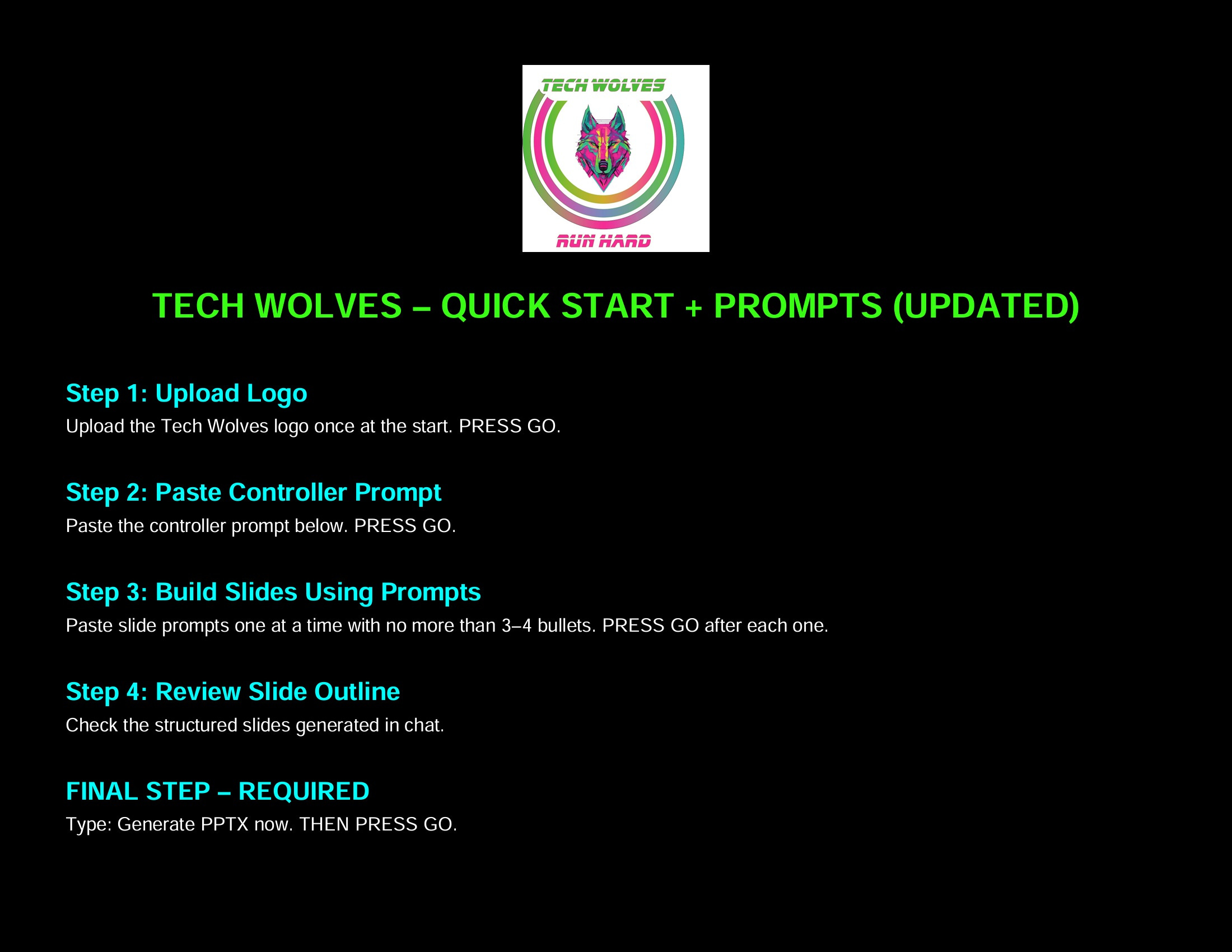
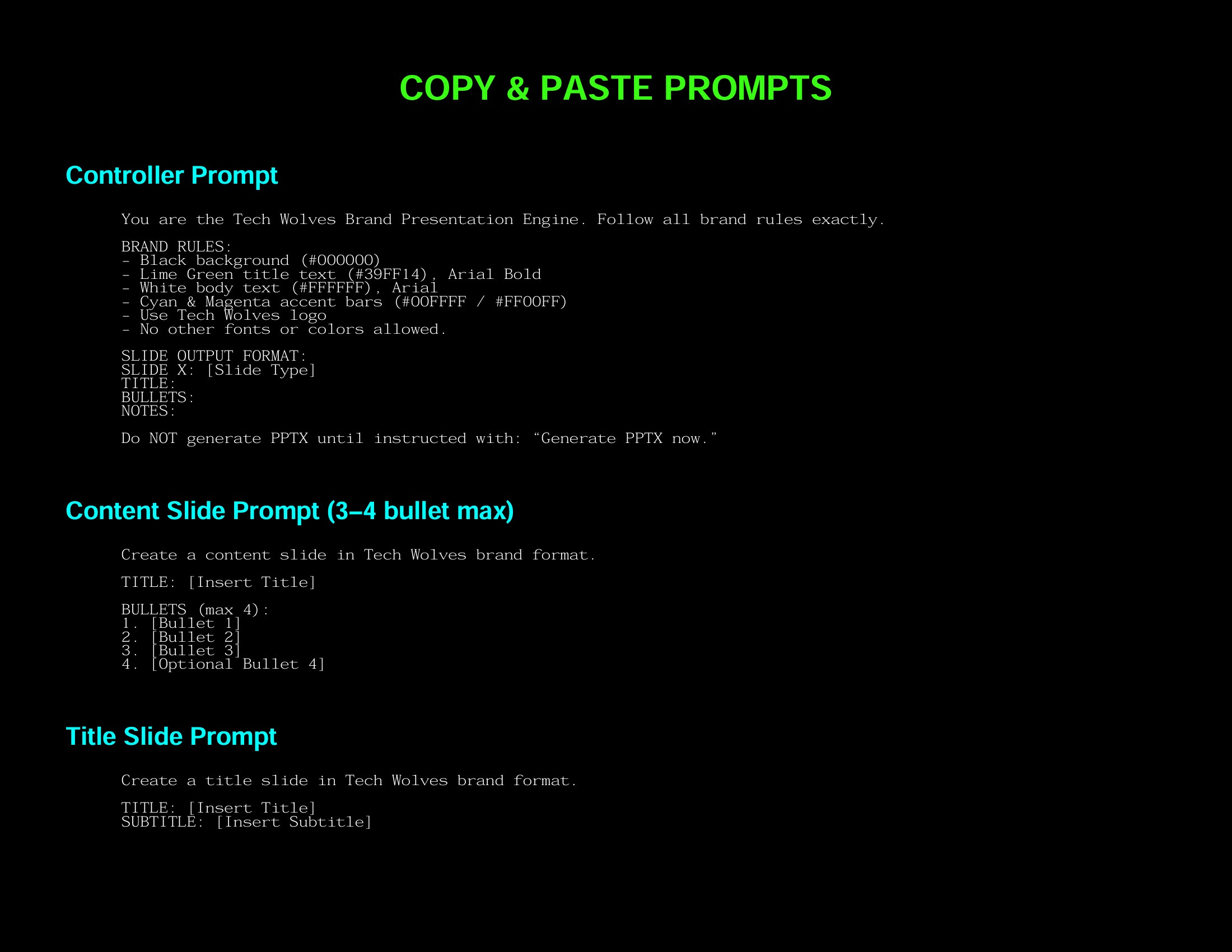
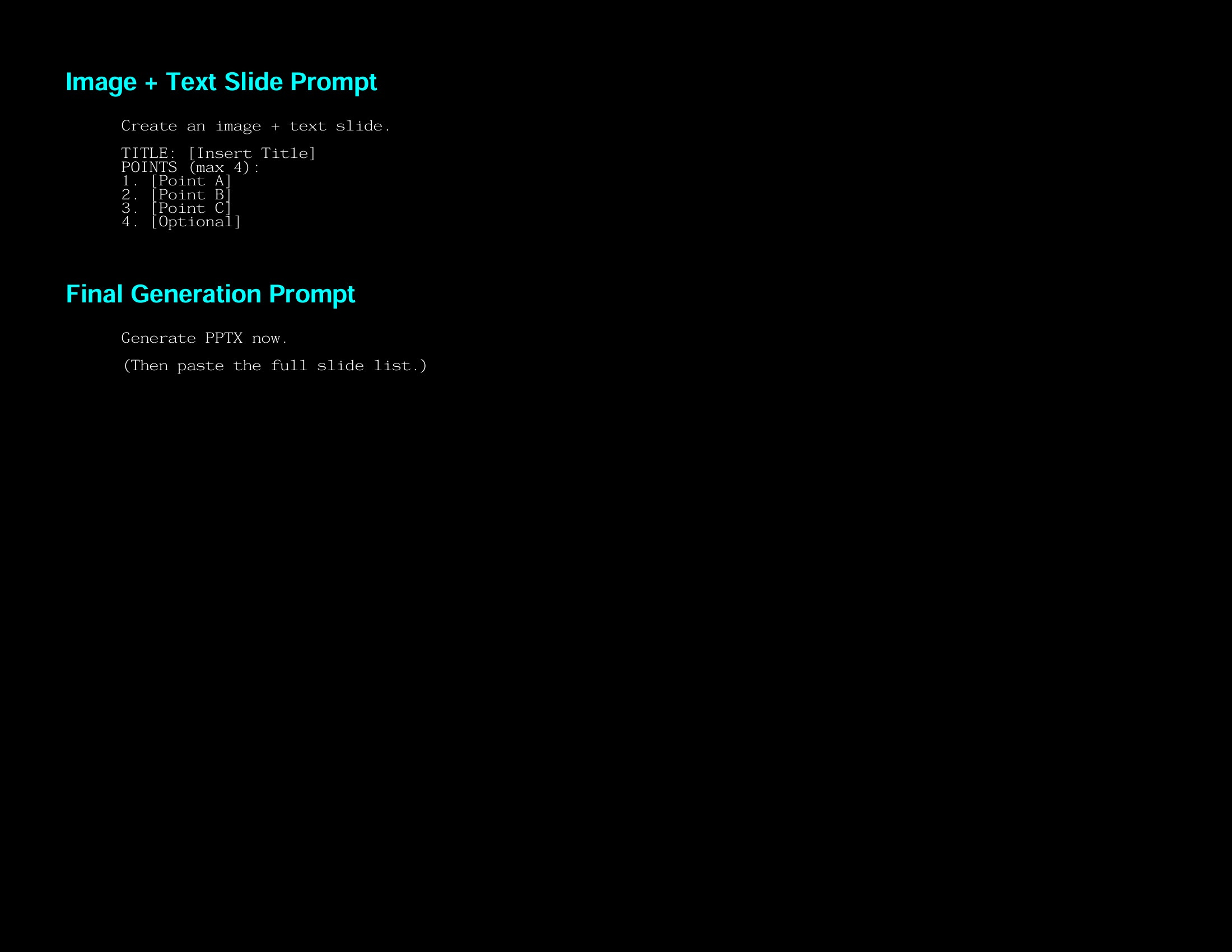
I filled one out based upon an article I wrote and uploaded it to ChatGPT and it created the following result. As you can tell, it is completely unacceptable.
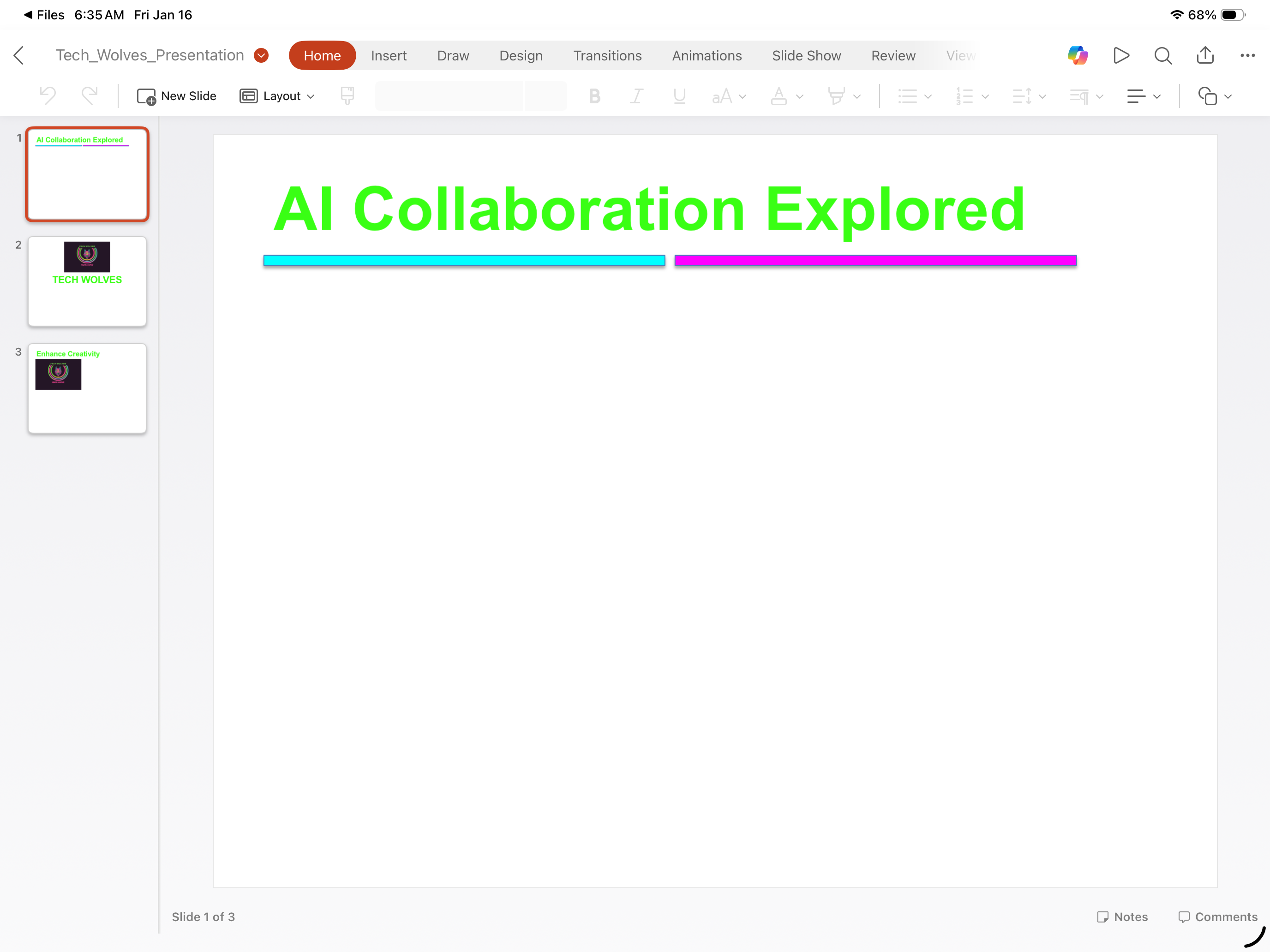
I decided to go down this route was a mistake. Therefore, I looked for existing models that claimed the ability to create a branded PowerPoint. I used MagicSlides.app, NotebookLM, Canva and ChatGPT models. In addition, I used Adobe Acrobat and several other PDF apps for conversion from PDF to PowerPoint.
Notebook LM produced the best product in PDF form. I was able to upload the content and the brand identity guidelines. Notebook LM adhered to the guidelines and produced an acceptable PDF. You can view the PDF by clicking the download button at the end of the blog.. Unfortunately, you cannot edit the PDF. Most of the models produced a PDF.
There are many apps that claim they can convert a PDF into an editable PowerPoint. However, they have a very loose definition of editable. Every app I tried would produce a native PowerPoint file with the PDF slides converted into JPEG. Therefore, you could not edit the text or anything else within the JPEG. You could move it around the slide and shrink it and combine it with other things, but you could not edit the actual JPEG. The following video shows the results of this process.
-
Magic Slides is an interesting product. It has a lot of capabilities and can produce a decent product. However, it really wants to do your thinking for you. It has customization options, but the AI‘s always got a better idea. I think if you struggle with it, you could probably come up with a system. However, I thought the point of AI was to end struggling.
I am sure that there are more skilled AI people out there that could make this work. However, all I ran into were limitations and workarounds. This was not the outcome I was seeking. The project produced some especially useful outputs, but I could not produce the final product.
If a PDF is adequate for your needs, Notebook LM works well. You control the information Notebook LM uses in creating your PDF slides. You upload the sources that you want it to use. This keeps hallucinations and the outside interference down.
The following video details, the process of creating a PDF in NotebookLM
Summary
I fell short of achieving my laudable goal. However, I learned a lot and developed useful tools as a result of my quest. This includes upload-able brand guidelines, a deeper understanding of models and some more efficient tools for creating content.
AI is still in the hype stage. It is useful, but it has limitations. I believe that it can enhance people with ability. However, if you don’t understand coding, it’s not going turn you into a coder. You need basic skills to use it effectively.
There is also a warning. These systems will think for you if you let them. They always have ideas and thoughts about what you’re doing and how to do it better. In some cases, they’re very useful. However, the trap is that you stop thinking for self and your creative thinking skills atrophy.
Thanks for making it this far and I hope you got some useful information out of this.
Addendum NotebookLM PDF
